Loading page…

Loading page…
Upload two photos to recast the male and female characters in a zombie video.
Create a Zombie AI video with EasyVideoAI using two portraits to recast its prepared zombie clip: one guides the male character in the opening, and the other guides the female character in later scenes. Preview the source, choose 12 or 20 seconds, review the credit quote, then download a private MP4 with its audio. Custom source video uploads are not supported.
Compare video credits and pricing, or read how we handle portrait and video privacy.
New to this workflow? Read the step-by-step guide: How to make an AI zombie video.
The supplied portrait is the reference for the female character in this completed example. Play the video to see her across the changing scenes, with audio.
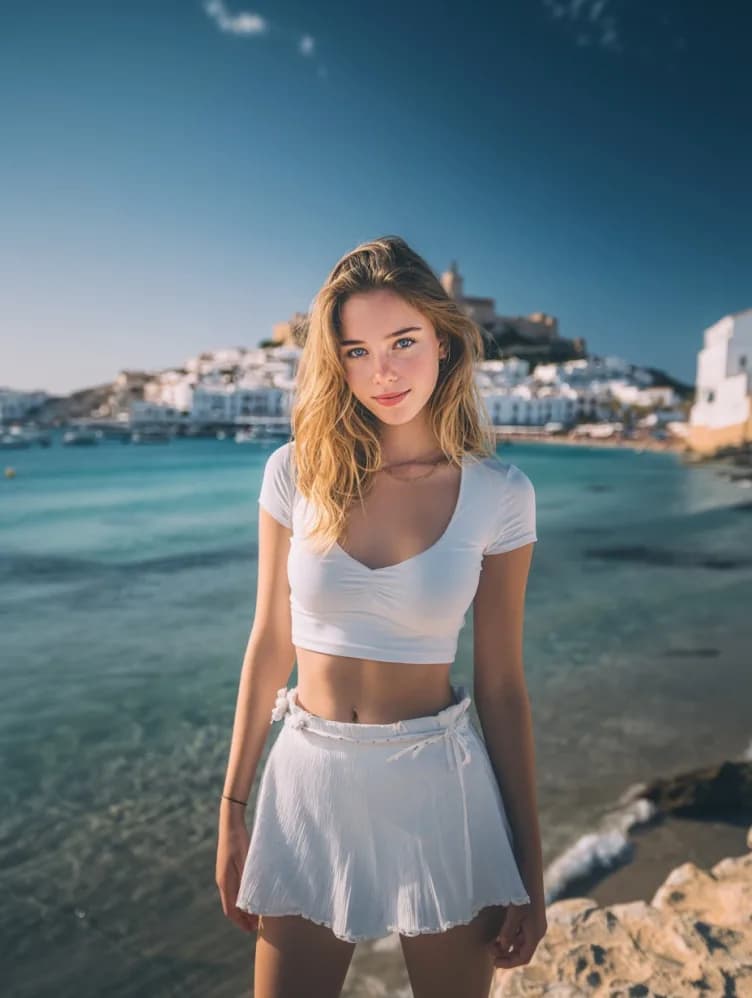
This completed example lasts 20.7 seconds; the studio offers 12-second and 20-second source cuts. The studio asks for two portraits, but only the female character reference is pictured here. Faces and scene details can vary between generations.
Create your versionUse separate JPEG, PNG or WebP images up to 10 MB each. Photo 1 guides the male character in the opening; photo 2 guides the female character in later scenes.
Preview the source with audio, then select its first 12 or 20 seconds at 480p or 720p. Keep the original frame or choose a centered square or vertical crop.
Check the exact credit quote before generating. When the private MP4 is ready, review both characters, scene changes and restored source audio.
What to expect from this two-photo scene workflow.
A zombie AI video generator turns your photos into a zombie-themed video. On EasyVideoAI, you upload two portraits and our studio recasts them into a prepared zombie scene — one portrait guides the male character in the opening, the other guides the female character in later scenes. You get a private MP4 download.
Yes. Upload two clear portraits (JPEG, PNG or WebP, up to 10 MB each, one face per photo). Photo 1 guides the male character, photo 2 guides the female character. Make sure you have permission to use each person's likeness.
Three steps: 1) upload two portraits, 2) pick the prepared scene — the first 12 or 20 seconds at 480p or 720p, 3) review the credit quote and generate. Review is free; credits are reserved only after your final confirmation.
Yes. The finished MP4 keeps the original audio from the source scene.
Yes — you download a private MP4 you can share anywhere. Just make sure you have permission to use the portraits you uploaded; a parent or legal guardian must authorize a minor's photo.
It makes a private MP4 based on the prepared zombie scene, using one portrait for the male character in the opening and another for the female character in later shots. The scene and audio come from the source; AI can vary facial and background details.
No free generation trial is currently offered. You can watch the source and completed example without paying. A 12-second 480p generation uses 960 credits at the current published rate; the $10 Starter pack contains 1,000 credits. The studio shows the exact quote before you confirm. See pricing.
Upload two separate JPEG, PNG or WebP portraits, up to 10 MB each. Use one clear face per image and obtain permission to use each person’s likeness.
Image 1 is the reference for the male character in the opening kitchen and zombie close-up. Image 2 is for the female character in the later scenes. The model can miss or alter a face across cuts, so review the finished video.
Choose the first 12 or 20 seconds of the supplied source, always starting at 0:00. The longer option includes more of the later scenes. The 20.7-second video below is a completed example, not an extra duration choice.
Yes. Choose the original wide frame, a centered square crop or a centered vertical crop. Cropping may remove characters near the sides of a shot; check the crop outline in the studio.
At the current published rate, 12 seconds at 480p uses 960 credits and 20 seconds at 480p uses 1,600 credits. 720p costs more; the exact quote appears in the studio before Generate. Compare all credit rates.
No. The current studio uses its prepared scene. You can upload two portrait photos, but not a replacement source video.
The preview is the original input. AI generation can change faces, expressions and fine details differently in each shot. Compare the finished result with the source before sharing.
Yes. You need permission to use both people's likenesses. A parent or legal guardian must authorize the use of a minor's photo. See the terms for details.