
Which Bulin 47 video are you listening to?
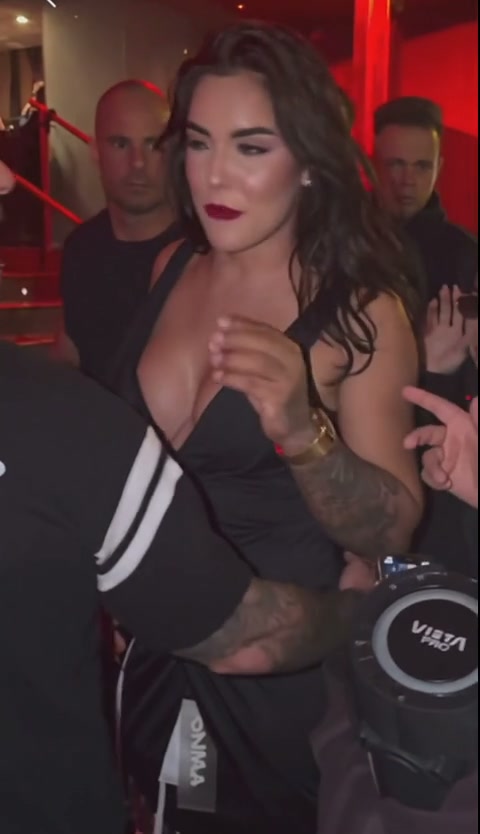
Start with the player in the Bulin 47 AI studio. It shows the original performance with its original audio, not a personalized result. The page also has a separate completed AI case. That case shows a recast central performer and lasts 12 seconds with audio.
The public demonstration lasts 23.15 seconds. This describes the clip displayed by EasyVideoAI, not a claim that it is the complete original recording from every repost or platform. The prepared generation options are the opening 5, 12 or 23 seconds.
| Video | Length | Sound |
|---|---|---|
| Original studio demonstration | 23.15 seconds | Original performance audio |
| Completed portrait case | 12 seconds | Includes audio |
| Your completed generation | Selected 5, 12 or 23-second cut | Audio restored from the matching source cut |
How Bulin 47 AI keeps the original audio
Your portrait guides the lead's appearance. The reference supplies the movement, setting and timing. After the visual generation, the processing workflow restores sound from the matching prepared source segment and checks the output before offering the completed file.
The selected length applies to the sound as well as the picture. A five-second request uses the opening five seconds; it does not attach the soundtrack from the whole public demonstration. Selecting a square or vertical crop changes the composition, while the source segment remains the same.
Original sound and exact lip sync are separate checks
Restoring the soundtrack does not guarantee that every mouth shape will match the words. A regenerated face can move differently during a turn or a moment of obstruction even when the audio track is present and the file duration is correct. Watch the performer's mouth as well as listening to the clip.
This template does not offer custom lyrics, a new spoken line or a voice-cloning control. Its prompt and audio workflow follow the prepared performance. If you want a different script or song, do not assume that uploading a different portrait will change the sound.
Check the completed MP4 before sharing it
Wait for the saved request to finish processing, then play the completed result and use its download control. Keep that MP4 as your reference file. You can return to your own saved requests through My videos in the same account or guest browser session.
Listen to the downloaded file in a local player. Check the beginning and ending, then compare the selected cut with the original demonstration. A screen recording or a repost can have different sound settings from the downloaded result. If you edit the MP4 before sharing, check the exported copy again rather than assuming the editor kept the audio.
If your Bulin 47 AI video seems silent
First check which player is open. The current original demonstration and 12-second completed case both include audio. Check the player's mute control, device volume and selected audio output; for your own completed result, test the downloaded MP4 separately.
If the completed file itself has no audible track, note the saved request reference and contact support. Do not submit another paid generation just to test a mute button or a download problem. A processing failure and a completed result with a playback issue need different checks.
Get help with an existing request · Watch the separate completed AI case
Questions about original sound and downloads
Why is the completed case shorter than the original demonstration?
The completed portrait case is a separate 12-second example with audio. The original demonstration lasts 23.15 seconds; your personalized generation uses the opening 5, 12 or 23-second source cut you select.
Does choosing 480p instead of 720p remove the audio?
No. Resolution changes the visual output and credit quote. Both options use the source-audio restoration workflow for the selected cut.
Do I need to add a song to get the original sound?
The intended completed MP4 already contains the matching source audio. Play the downloaded file first. Adding another track in an editor can replace, mix with or cover that sound.
Preview the original, then check your own file
For Bulin 47 AI with original audio, choose the source length you need, review the quote and inspect the finished download. Use the original studio demonstration to understand the performance and the separate AI case to see a completed visual example. Judge your personalized MP4 on its own face detail, timing and sound.
Reviewed against the EasyVideoAI studio on October 25, 2026. Check the live studio for current availability and the final credit quote.