
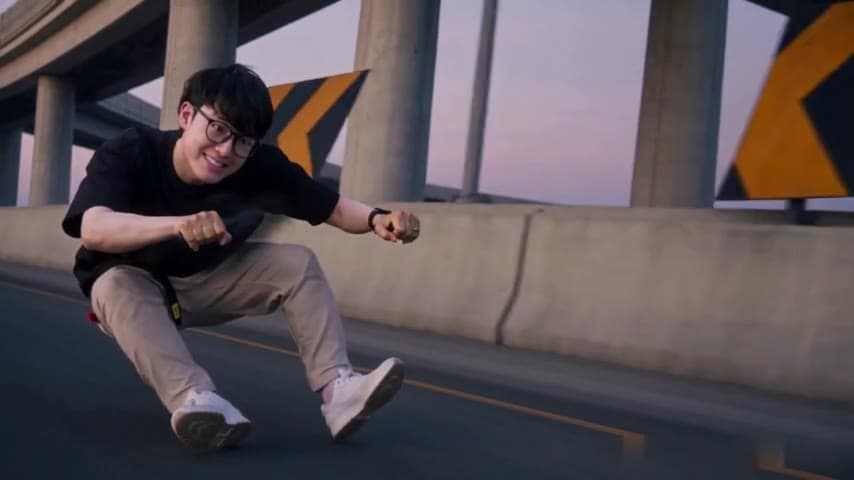
What the Crazy Frog AI template prompt controls
The Crazy Frog rider template combines a portrait with a prepared 14-second reference video. The prompt explains which character changes and which scene elements should remain. A short text prompt by itself does not establish the precise camera path or shot timing of this reference.
Its intended direction is: replace only the invisible-motorcycle rider with the identity and clothing from Image 1. Carry that identity through close-ups, profile and rear views, turns, the flip, landing and getaway. Keep the officer, white bike, roadway, overpass, signs and camera movement with the source.
Keep one portrait assigned to one rider
Use a clear single-person portrait. It supplies the recognizable face, hair, skin tone, glasses and visible outfit. The model should not blend that identity with the source rider or put the same person onto the pursuing officer.
The completed example used one multi-view sheet showing the same person from different angles. That is one identity reference, not three cast members. A simple clear portrait is the normal upload choice; avoid unrelated people or a collage that makes the intended subject ambiguous.
Follow the reference instead of copying the photo’s pose
The rider’s motion comes from the video. The model is asked to keep the crouch, hands on imaginary handlebars, body balance, expressions and timing while changing the appearance. It should not turn the portrait’s standing pose or studio background into the chase scene.
The full output lasts 14 seconds. Original framing preserves the landscape chase. A square or vertical crop is applied to the result and can remove part of the action; changing a prompt is not the crop control in this studio.
Diagnose the result before changing the reference
Compare the output with both your portrait and the demonstration. Face clarity, character assignment and action fidelity are separate checks. Reusing identical inputs does not guarantee a correction.
| Problem | First check |
|---|---|
| A physical bike appears beneath the rider | The reference keeps that bike invisible; inspect whether the scene direction was followed |
| The rider becomes a different person | Face visibility, blur and turns in the portrait and video |
| The officer changes instead | Whether identity was kept on the rider throughout the chase |
| The chase is cut out of frame | The selected crop across both characters’ movement |
| Expected sound is missing | The downloaded file and source-audio restoration, separately from the visual prompt |
Keep visual generation separate from audio
Wan 3.0 receives a silent reference and generates silent picture. EasyVideoAI restores the matching private source’s audio afterward. A portrait does not provide a new speaking voice, and this studio has no song selector or custom dialogue field.
Use the named Rider slot, review the quote and inspect the full MP4 before sharing it. The visible demonstration and case use the completed example footage, while generation reads its independently verified private source copy.
Follow the Crazy Frog AI video tutorial · Understand source-audio restoration
Reviewed against the EasyVideoAI studio on October 20, 2026. Check the live studio for current availability and the final credit quote.