
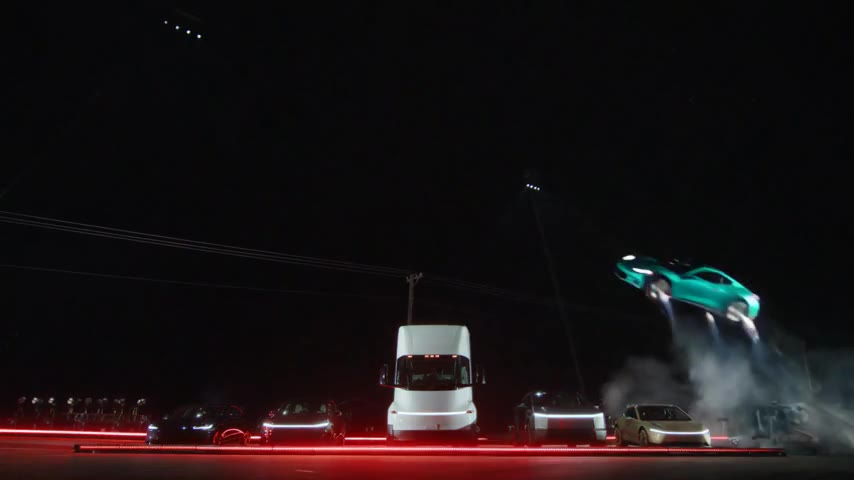
A vertical crop keeps only the middle of the shot
The Flying Car AI templates begin with a 16:9 landscape composition. Original preserves that view. The 1:1 and 9:16 settings are centered crops of the generated result; selecting them does not ask the model to invent a new vertical camera composition.
For a 16:9 frame cropped to 9:16 at the same height, roughly 32% of the original width remains. The studio’s preview outline is therefore useful: follow the car through the whole clip instead of checking only the opening poster.
| Output | Keeps | Check before confirming |
|---|---|---|
| Original 16:9 | Complete landscape composition | How it fits inside your planned post |
| Square 1:1 | Centered section of the landscape | Wall, takeoff and landing at the side boundaries |
| Vertical 9:16 | Narrow central section | Whether the moving car leaves the crop |
The two stunts have different cropping problems
Ramp Flip’s wall and changing camera angles mean a tall object is not necessarily centered throughout the sequence. Watch the inverted turn and flight separately. A crop that contains the car at the start can lose it after the camera changes.
Side Kickflip crosses the wide frame from right to left. The middle of the roll may fit a vertical crop while takeoff or touchdown does not. The shorter length alone does not make it a better vertical composition.
Inspect the Ramp Flip sequence · Inspect the Side Kickflip path
Keep the whole stunt inside a vertical canvas
If the crop removes essential action, choose Original and download the MP4. In your editor, create a vertical canvas and fit the landscape clip inside it without trimming its sides. Use the remaining space for a short title, a plain background or your own commentary.
This layout makes the car smaller on a phone, but keeps the complete launch and landing. Check the exported file on a phone-sized preview and keep captions away from the vehicle. Rewatch the final export rather than relying on the editor’s still frame.
Review sound and identify the AI scene
The downloaded Flying Car AI video includes generated movement and landing sounds. Listen after editing, particularly if you trim the beginning or create a loop. A cut can detach an impact sound from the moment the wheels touch down.
Make the caption clear that this is an AI-generated stunt starring your car. Do not describe the clip as a real driving test. Preview the final post layout so the vehicle and any explanatory text remain readable; posting options and interface overlays vary across platforms.
Create and download the private MP4 · Prepare the vehicle photo first
Reviewed against the EasyVideoAI studio on October 26, 2026. Check the live studio for current availability and the final credit quote.